12 Best Sales Automation Tools to Scale Revenue in 2025
November 30, 2025
In the relentless pursuit of revenue growth, the line between busywork and high-impact selling often blurs. Sales teams spend countless hours on repetitive tasks like manual email follow-ups, lead data entry, and scheduling, which leaves less time for strategic conversations and closing deals. The right sales automation tool isn't just a convenience; it's a strategic imperative that reclaims that lost time, enforces process consistency, and scales your outreach efforts without scaling your headcount.
This guide is designed to cut through the noise and help you find the best sales automation tools for your specific business needs. We move beyond marketing jargon and generic feature lists to provide a clear-eyed assessment of the top 12 platforms on the market. Whether you're a B2B startup building an outbound pipeline from scratch, a sales leader at an SMB needing a scalable prospecting engine, or an enterprise team requiring robust analytics and security, this resource will equip you to make an informed decision.
Inside, you'll find a detailed breakdown of each platform, including:
- Practical Use Cases: Discover who each tool is truly built for.
- Honest Pros and Cons: Get a balanced view of strengths and limitations.
- Pricing Pointers: Understand the investment required to get started.
- Key Differentiators: Learn what makes each solution unique.
We’ve included screenshots for a visual feel and direct links to each tool, helping you compare options efficiently. Our goal is to provide a comprehensive analysis that empowers you to select the software that will not just automate tasks, but fundamentally transform your sales process, allowing your team to stop managing administrative work and start closing more business.
1. Roger
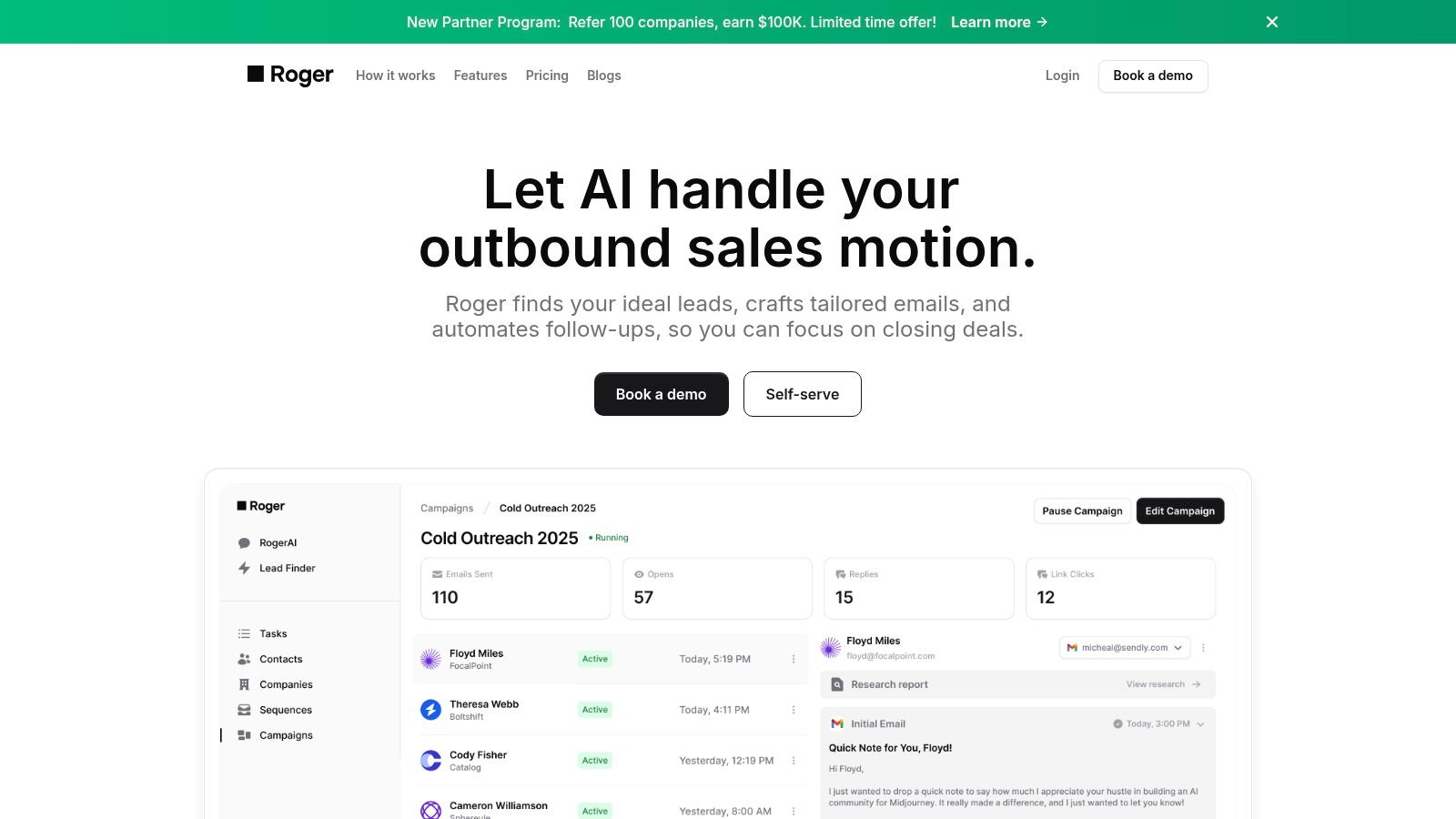
Roger positions itself as a true end-to-end outbound sales automation platform, leveraging AI to manage the entire top-of-funnel process. Unlike tools that only handle sequencing or list-building, Roger is designed to autonomously find, research, personalize, and execute multi-channel outreach campaigns. This allows revenue teams to offload the time-intensive tasks of prospecting and focus squarely on qualified, active conversations.
After a brief onboarding where you define your ideal customer profile (ICP) and campaign goals, Roger's AI gets to work. It continuously discovers decision-makers on platforms like LinkedIn, verifies their contact information, and generates personalized outreach. A key differentiator is its ability to mirror your brand’s historical email tone, ensuring consistency while injecting research-driven insights from a prospect's public activity into each message.
Key Features & Use Cases
Roger's integrated approach makes it one of the best sales automation tools for teams seeking a holistic solution rather than a collection of point solutions.
- AI-Powered Lead Discovery & Verification: Roger doesn't rely on static lists. It actively finds net-new contacts matching your ICP and verifies their emails in real-time, significantly improving deliverability and list quality.
- Hyper-Personalization at Scale: The platform generates unique, per-lead research reports and uses tone-mirroring AI to craft messages that feel authentic and relevant. This solves the classic automation challenge of sacrificing quality for quantity.
- Multi-Channel Sequencing: Execute coordinated campaigns across both email and LinkedIn. The system manages follow-ups, tracks engagement, and provides daily reports to keep your team informed of all activity.
- Scalable Architecture: Roger offers tiered plans and support options, from self-serve onboarding for startups to dedicated Slack support and custom integrations for enterprise clients, making it adaptable to growing teams.
Practical Considerations & Pricing
| Plan | Price (per month) | Leads Reached (per month) | Key Feature |
|---|---|---|---|
| Basic | $800 | 800 | Per-lead research reports |
| Standard | $2,000 | 2,500 | Automated lead addition |
| Premium | $3,000 | 4,000 | Real-time Slack support |
| Enterprise | Custom | Custom | Unlimited sequences, dedicated support |
- Pros:
- True end-to-end automation: Manages the entire prospecting workflow from discovery to outreach.
- High-quality personalization: AI-driven research and tone-mirroring produce relevant, brand-aligned copy.
- Integrated multi-channel outreach: Coordinates email and LinkedIn touches seamlessly.
- Flexible and scalable: Plans and support are available for companies of all sizes.
- Cons:
- Higher entry price: The $800/month starting cost may be a hurdle for very early-stage companies.
- Data dependency: Performance relies on the availability of public data on platforms like LinkedIn, which can vary by industry or region.
Best For: B2B companies aiming for rapid pipeline growth, sales leaders who need a scalable prospecting engine without hiring more SDRs, and agencies offering lead generation services.
Website: https://hireroger.com
2. HubSpot Sales Hub
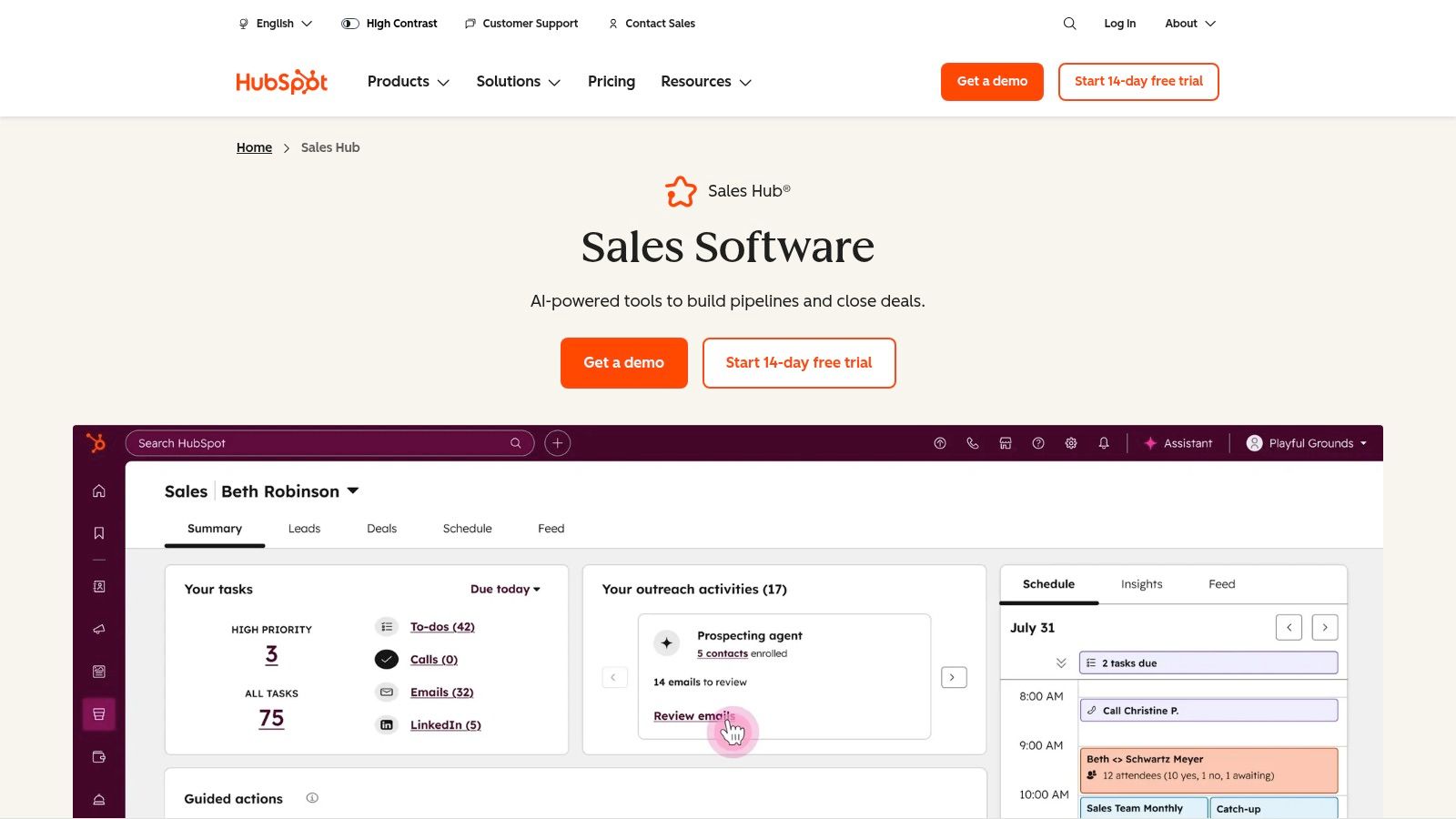
HubSpot Sales Hub is an all-in-one CRM platform designed to consolidate sales, marketing, and service activities. Its primary strength lies in its ability to provide a single source of truth for all customer interactions, making it one of the best sales automation tools for teams seeking unified data and processes. Unlike point solutions that only handle one part of the sales cycle, HubSpot connects every touchpoint from initial marketing engagement to post-sale support.
This integrated approach allows for powerful, context-aware automation. For instance, a lead’s interaction with a marketing email can automatically trigger a sales sequence or create a task for a rep, ensuring timely and relevant follow-up without manual intervention. The visual deal pipeline offers clear, drag-and-drop management of your opportunities, while advanced forecasting helps predict revenue with greater accuracy.
Key Features & Use Cases
- Automated Sequences: Create multi-step email and task sequences to nurture leads consistently. Ideal for sales development reps (SDRs) managing a high volume of prospects.
- Workflow Automation: Beyond sales tasks, automate data management, lead rotation, and internal notifications. The Professional tier includes 300+ custom workflows.
- Conversation Intelligence (CI): AI-powered tools transcribe and analyze sales calls, pulling out keywords, competitor mentions, and coaching opportunities for sales leaders.
- Centralized CRM: Acts as the core system for all customer data, providing a complete history of interactions across every department.
Pricing and Implementation
HubSpot’s pricing scales significantly. A free tier offers basic tools, while paid plans start with the Starter package (from $45/month). Advanced automation, however, is gated to the Professional (from $450/month) and Enterprise (from $1,500/month) tiers. Keep in mind that higher-tier plans often require mandatory onboarding fees, which can be a considerable upfront investment.
| Pros | Cons |
|---|---|
| Unified Platform: Combines sales, marketing, and service tools seamlessly. | Costly at Scale: Advanced automation features are locked behind expensive tiers. |
| Extensive Integrations: Robust app marketplace with thousands of third-party tools. | Onboarding Fees: Mandatory, and sometimes costly, onboarding for higher plans. |
| User-Friendly: Known for its intuitive interface and extensive free training resources. | Complexity: Can become complex to manage without a dedicated administrator. |
Learn more at: HubSpot Sales Hub
3. Salesforce Sales Cloud + Sales Engagement
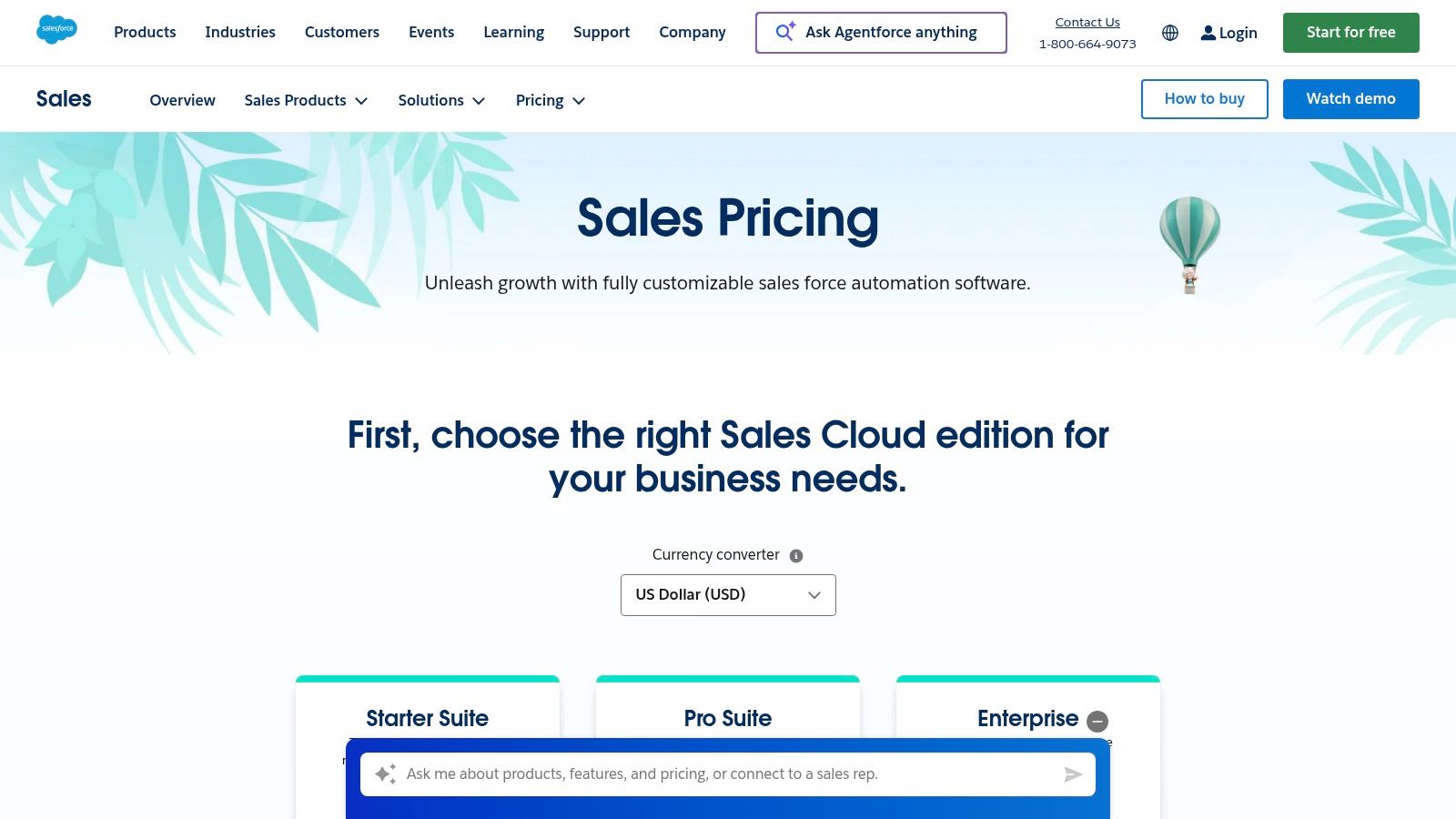
Salesforce Sales Cloud is the market-leading CRM, and when combined with its Sales Engagement add-on, it becomes one of the best sales automation tools for enterprises. Its core strength is its profound customizability, allowing large organizations to build complex, bespoke workflows that align perfectly with their internal processes, governance needs, and intricate sales methodologies. Unlike more rigid platforms, Salesforce can be molded to fit nearly any go-to-market strategy.
This deep configurability extends to its automation capabilities. With Sales Engagement, teams can build sophisticated multi-channel cadences, create prioritized work queues for reps, and leverage AI for conversation intelligence directly within the CRM. This tight integration ensures that all outreach activities, analytics, and insights are housed in a single, secure, and compliant environment, which is a critical requirement for enterprise-level operations.
Key Features & Use Cases
- Workflow & Process Automation: Use Process Builder and Flow to automate complex business logic, from lead assignment based on territory rules to multi-stage approval processes.
- Sales Engagement Cadences: Design and execute automated outreach sequences combining emails, calls, and other tasks to ensure consistent follow-up across large sales teams.
- Einstein AI Forecasting: Leverage AI to analyze pipeline data and predict sales outcomes with greater accuracy, helping leaders manage expectations and resources.
- AppExchange Marketplace: Access a massive ecosystem of third-party applications to extend functionality and integrate with virtually any other tool in your tech stack.
Pricing and Implementation
Salesforce pricing is tiered and often requires negotiation for enterprise deals. The core Sales Cloud starts at $25/user/month (billed annually), but advanced automation and the Sales Engagement add-on come at a higher cost. For example, the Unlimited edition (which includes more robust automation) starts at $300/user/month. Implementation can be complex and typically requires a certified partner or a dedicated internal administrator, adding to the total cost of ownership.
| Pros | Cons |
|---|---|
| Extremely Configurable: Can be tailored to the most complex sales processes and analytics needs. | Complex and Costly: High price tag and requires significant technical resources to manage. |
| Massive Ecosystem: The AppExchange provides unparalleled integration and extension capabilities. | Features Sold as Add-Ons: Key automation features like Sales Engagement are separate purchases. |
| Enterprise-Grade Security: Top-tier security, compliance, and governance features for large organizations. | Steep Learning Curve: The platform's vastness can be overwhelming for new users and admins. |
Learn more at: Salesforce Sales Cloud
4. Outreach
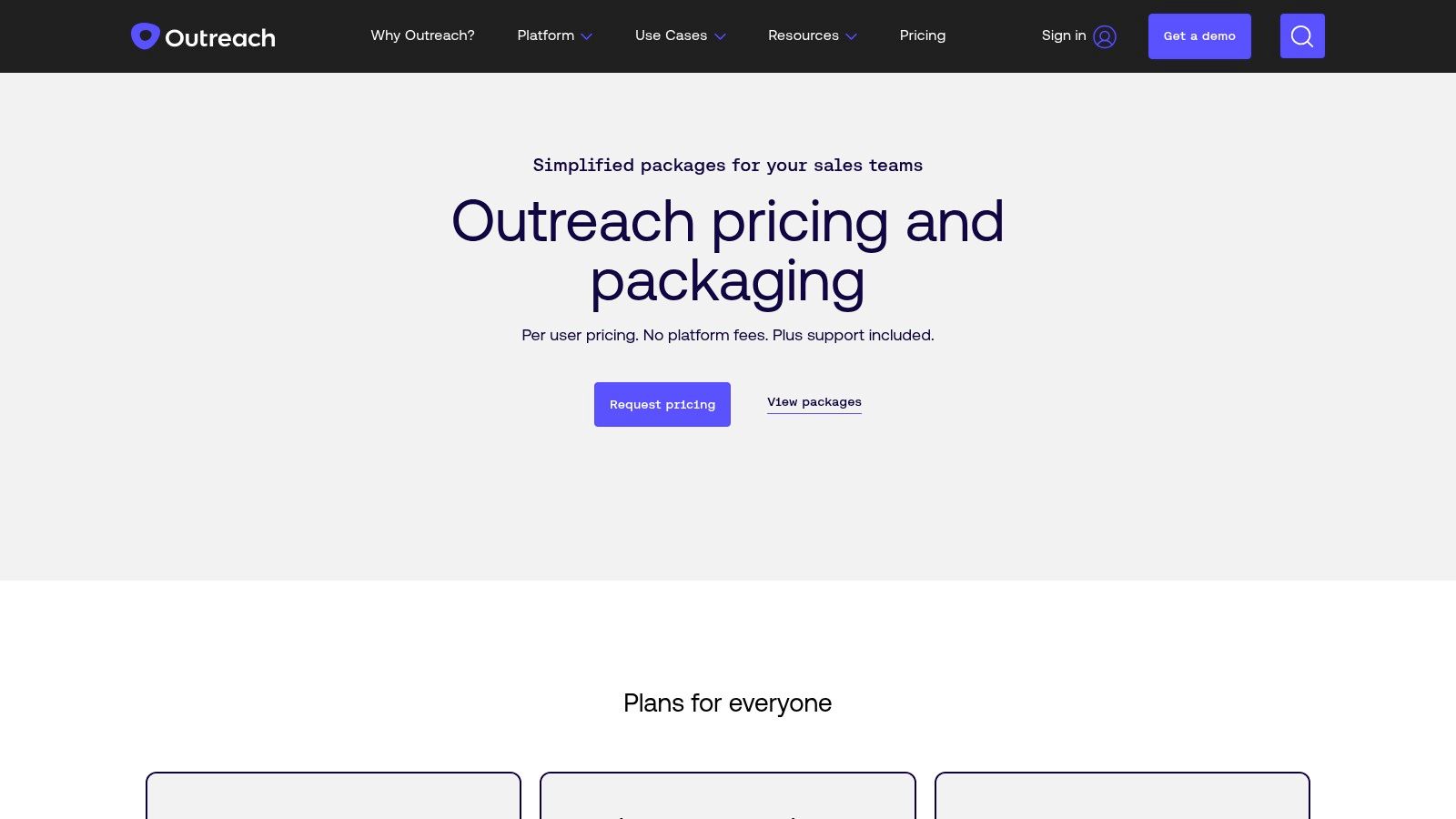
Outreach is an enterprise-grade sales engagement platform built to orchestrate and optimize every customer-facing interaction. It excels in managing complex, high-volume outbound motions, making it a staple for sales development (SDR) and account executive (AE) teams. Where some tools focus broadly on CRM, Outreach provides deep, prescriptive workflows specifically for driving pipeline, ensuring reps follow proven playbooks with precision.
The platform's strength lies in its governance and analytics, allowing sales leaders to standardize best practices and measure what works at a granular level. Its automation engine goes beyond simple email sequences, using triggers based on prospect behavior or CRM field changes to execute tasks, enroll contacts in different nurture paths, and keep data impeccably synced. This makes it one of the best sales automation tools for organizations that require control, visibility, and data-driven coaching across large teams.
Key Features & Use Cases
- Multichannel Sequences: Combine email, calls, LinkedIn tasks, and other steps into automated sequences that guide rep activity. Ideal for executing sophisticated outbound campaigns.
- AI-Powered Assistant (Kaia): Provides real-time assistance during sales calls by transcribing conversations, surfacing relevant content, and summarizing key moments for follow-up and coaching.
- Triggers and Automation: Create "if-then" rules to automate administrative tasks, such as updating CRM records when a prospect opens an email or changing lead status after a meeting is booked.
- Deal Health and Forecasting: Moves beyond activity tracking to analyze deal progression, flag at-risk opportunities, and provide AI-driven revenue forecasts.
Pricing and Implementation
Outreach does not offer public pricing and operates on a quote-based model tailored to team size and feature requirements. It is positioned as a premium, mid-market to enterprise solution, and the total cost of ownership reflects its comprehensive feature set. Implementation often involves a dedicated process to ensure deep integration with your existing CRM and sales processes, which is crucial for maximizing ROI.
| Pros | Cons |
|---|---|
| Robust Governance: Advanced permissions and profiles for managing large, complex teams. | Premium Pricing: Quote-based model is typically at a higher price point for enterprise needs. |
| Powerful Analytics: Deep reporting provides unparalleled insight into team and sequence performance. | No Public Pricing: Lacks transparency, making it difficult to budget without a sales call. |
| Deep CRM Integration: Bi-directional sync with Salesforce and Dynamics, including custom objects. | Steep Learning Curve: Can be complex to configure and master without dedicated resources. |
Learn more at: Outreach
5. Salesloft
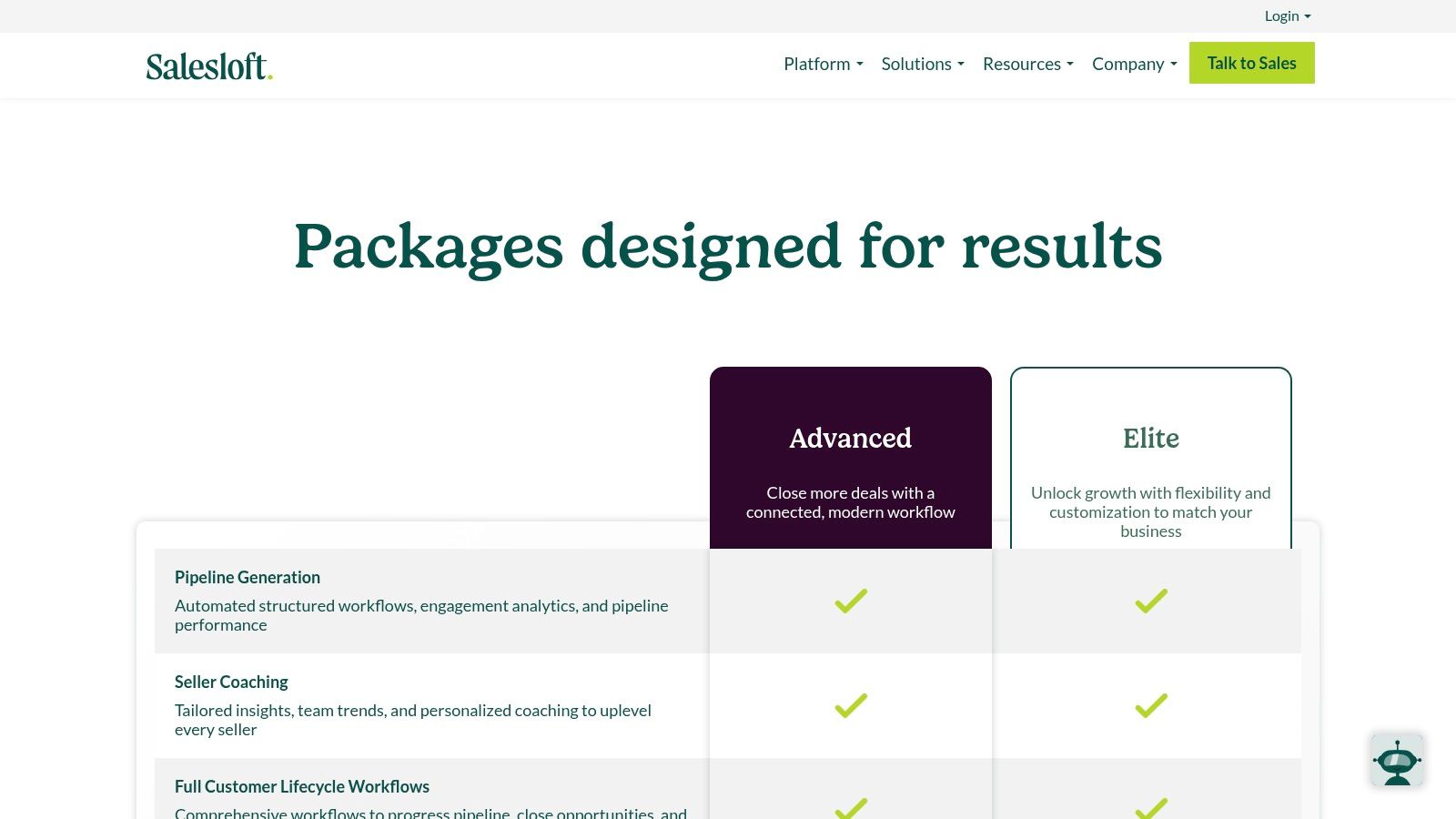
Salesloft is an all-in-one sales engagement and revenue workflow platform built for teams that prioritize structured outreach and performance analytics. Its core strength lies in its intuitive user experience, making it one of the best sales automation tools for sales development reps (SDRs) and account executives who need to execute multi-channel prospecting cadences efficiently. Unlike platforms focused solely on email, Salesloft integrates phone, email, social, and video touches into a single, unified workflow.
This cohesive approach empowers reps to follow a proven playbook while allowing managers to coach effectively and analyze performance. The platform’s bi-directional sync with major CRMs like Salesforce ensures data integrity and governance, preventing messy records and providing a reliable source of truth for reporting. Its focus on enterprise-grade features makes it a top choice for organizations that require robust security, detailed analytics, and scalable coaching tools.
Key Features & Use Cases
- Cadences: Build and execute multi-step, multi-channel outreach sequences. Ideal for SDR teams aiming to standardize their prospecting process and A/B test messaging at scale.
- Conversation Intelligence: Automatically records, transcribes, and analyzes sales calls to identify key moments and provide AI-driven coaching insights for sales managers.
- Dialer & Messenger: Enables reps to call and text prospects directly from the platform, logging all activity automatically to the CRM and eliminating manual data entry.
- Analytics and Reporting: Offers deep insights into team performance, cadence effectiveness, and deal progression, allowing leaders to make data-driven decisions.
Pricing and Implementation
Salesloft does not publish its pricing publicly; it is sold via a direct sales process with custom quotes based on team size and feature requirements. The platform is structured around different packages: Prospect, Sell, and Engage, with an Enterprise offering for advanced needs. Optional add-ons for forecasting and account research can increase the total investment, making it a premium solution geared toward established teams.
| Pros | Cons |
|---|---|
| Intuitive User Experience: Highly regarded for its ease of use for reps and managers. | Pricing Not Public: Requires engaging with their sales team for a custom quote. |
| Mature Enterprise Capabilities: Strong governance, security, and reporting for large teams. | Add-Ons Increase Cost: Key features like forecasting are often sold separately. |
| Excellent Coaching Tools: Conversation intelligence provides actionable insights for training. | Can be Complex to Set Up: Requires careful planning for CRM integration and workflows. |
Learn more at: Salesloft
6. Apollo.io
Apollo.io is a unified sales intelligence and engagement platform that combines a massive B2B contact database with a full suite of sales automation tools. Its primary advantage is bundling prospecting data and outreach capabilities into a single, cohesive system, making it one of the best sales automation tools for outbound-focused teams. Unlike platforms that require separate subscriptions for data and sequencing, Apollo streamlines the entire top-of-funnel process from finding a prospect to engaging them.
This integrated approach enables rapid and highly targeted prospecting. A sales rep can use filters to build a precise list of contacts from Apollo’s database, enrich the data, and immediately enroll them into an automated multi-channel sequence of emails, calls, and LinkedIn tasks. The platform’s workflow automation also helps manage data hygiene and triggers actions based on prospect behavior, such as opening an email or booking a meeting.
Key Features & Use Cases
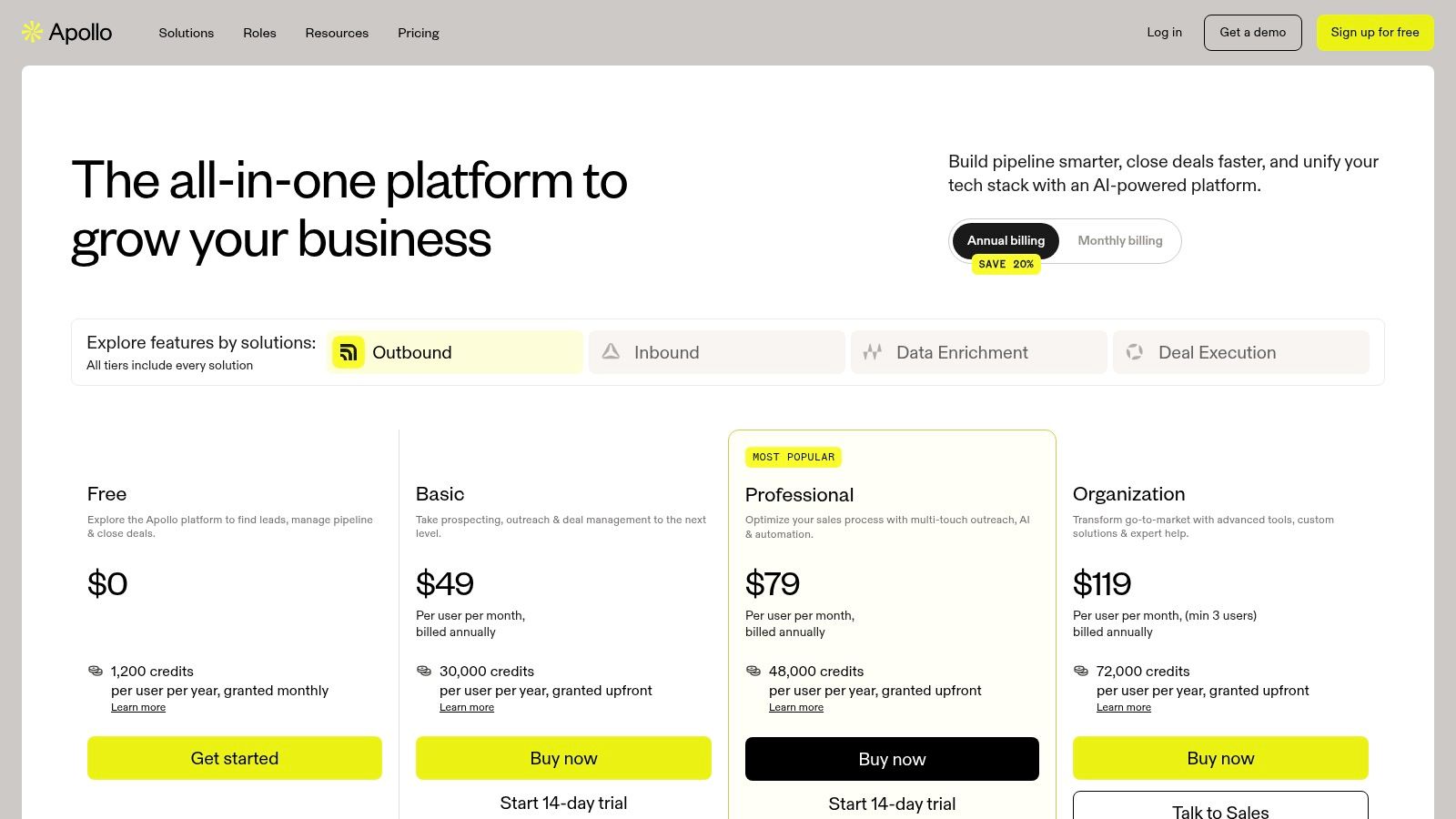
- B2B Database & Enrichment: Access a database of over 275 million contacts to build lead lists and enrich existing records with verified emails and direct dials.
- Multi-Channel Sequencing: Create and automate outreach campaigns across email, phone calls, and LinkedIn. Ideal for SDRs and AEs running their own outbound plays.
- AI-Powered Workflows: Use AI to automate repetitive tasks like data entry, lead scoring, and routing. The platform can also suggest the best times to contact prospects.
- Chrome Extension: Source and engage contacts directly from LinkedIn and company websites, adding them to sequences without switching tabs.
Pricing and Implementation
Apollo offers a free-forever plan with limited credits, making it highly accessible. Paid plans start with the Basic tier (from $49/user/month) and move to Professional (from $79/user/month), with more advanced features and higher credit limits. A key consideration is the credit system; heavy usage for data prospecting or email verification may require purchasing additional credits, which can increase the total cost.
| Pros | Cons |
|---|---|
| Integrated Data & Engagement: Combines a large prospect database with outreach tools. | Credit System: Heavy usage can drive up costs beyond the base subscription price. |
| Strong Value Proposition: Competitive entry-level pricing for an all-in-one tool. | Pricing Transparency: Exact and current offers may require signing in to view. |
| Rapid Prospecting: Chrome extension and workflow automation accelerate lead generation. | Data Accuracy: Like all data providers, contact information can sometimes be outdated. |
Learn more at: Apollo.io
7. Pipedrive
Pipedrive is a sales-focused CRM celebrated for its visual pipeline, making it one of the best sales automation tools for small and medium-sized businesses (SMBs) prioritizing ease of use and quick adoption. Its core philosophy revolves around activity-based selling, prompting reps to focus on the actions that drive deals forward. The platform is designed to get teams up and running quickly, providing practical automation without the steep learning curve of more complex systems.
Unlike all-in-one platforms that can be overwhelming, Pipedrive focuses squarely on the sales process. Its workflow automation allows teams to trigger actions based on deal movements or time-based rules, such as creating a follow-up task when a deal moves to a new stage or sending a standardized email. This focus on simplicity and core sales functions ensures reps can spend more time selling and less time fighting with software.
Key Features & Use Cases
- Visual Deal Pipelines: A clear, drag-and-drop interface helps sales reps manage their opportunities and instantly see the health of their pipeline.
- Workflow Automation: Automate repetitive administrative tasks, such as creating activities, sending emails, or moving deals between stages based on custom triggers.
- LeadBooster Add-on: An optional toolset including a Chatbot, Live Chat, and Web Forms to capture and qualify inbound leads directly from your website.
- Email and Calendar Sync: Integrates with major providers like Google and Microsoft to track communications and schedule meetings directly within the CRM.
Pricing and Implementation
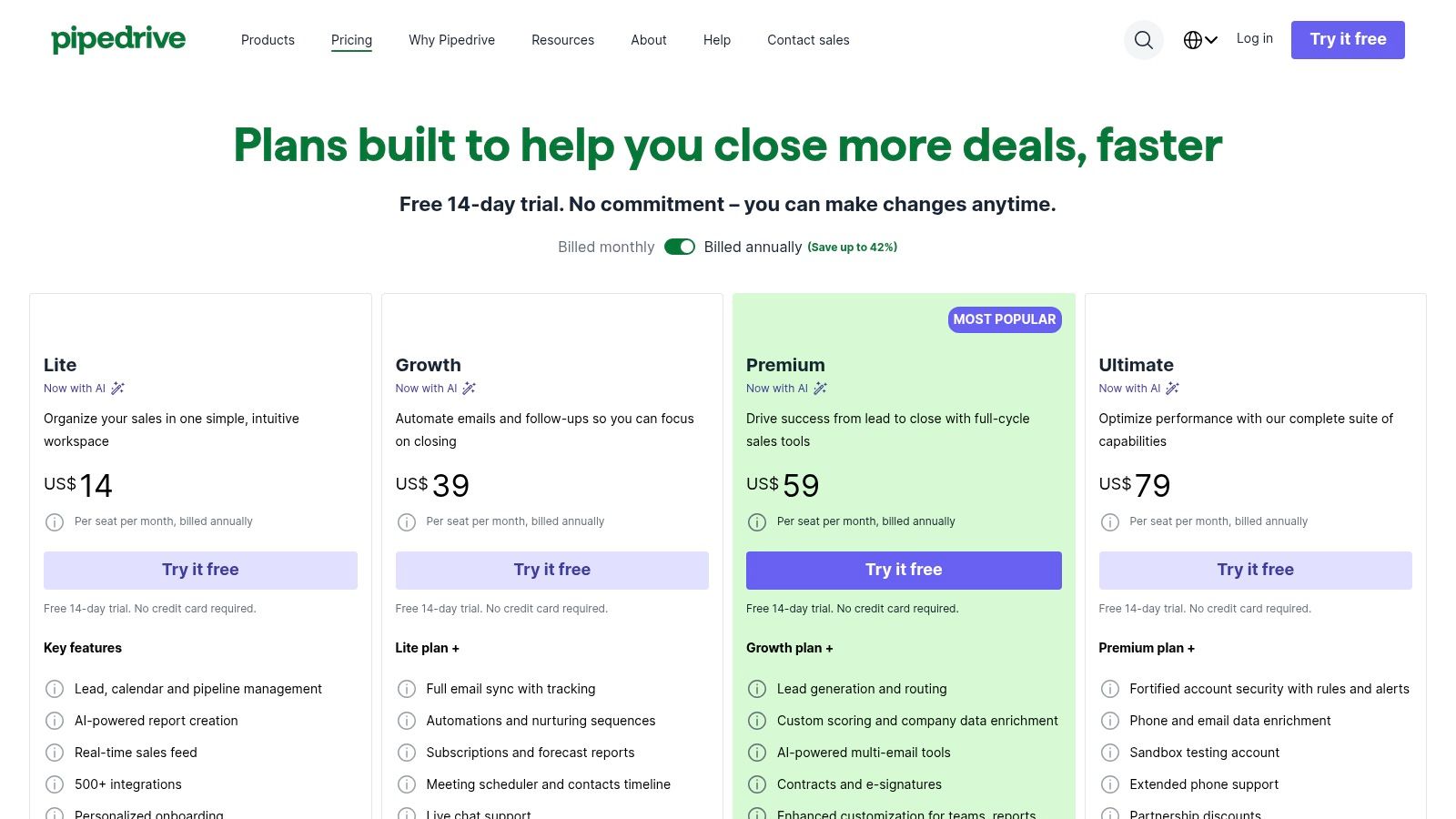
Pipedrive’s pricing is transparent and tiered. The Essential plan starts at $14.90 per user/month, but automation is introduced in the Advanced plan (from $27.90 per user/month). More robust features like lead routing and team management are available in the Professional plan (from $49.90 per user/month). A 14-day free trial is available for all tiers, allowing teams to test its functionality before committing.
| Pros | Cons |
|---|---|
| Very user-friendly: Known for its intuitive interface and quick time-to-value. | Add-ons required for full functionality: Key features like lead generation are paid add-ons. |
| Clear, affordable pricing: Transparent tiering makes it accessible for SMBs. | Limited for larger teams: May lack the advanced reporting and customization larger enterprises need. |
| Focused on sales activities: Excels at helping reps manage their core selling tasks. | Basic marketing features: Less robust for integrated marketing campaigns compared to all-in-one CRMs. |
Learn more at: Pipedrive
8. Zoho CRM
Zoho CRM is a powerful customer relationship management platform that offers a comprehensive suite of sales automation tools. It stands out for its deep integration within the broader Zoho ecosystem, which includes dozens of business apps from finance to HR. This makes it an ideal choice for organizations already invested in Zoho or those looking for a single-vendor solution to manage multiple business functions, positioning it as one of the best sales automation tools for unified operations.
The platform provides robust workflow automation that handles routine tasks like sending follow-up emails, updating records, and assigning leads to the right sales reps. Its strength lies in its extensive customization options, allowing businesses to tailor modules, fields, and layouts to fit their specific sales processes. This level of control ensures the CRM adapts to the business, not the other way around.
Key Features & Use Cases
- Workflow Automation: Create rules to automate repetitive tasks across the sales cycle. For example, automatically convert a qualified lead into a deal and assign a task for a demo.
- Zia AI Assistant: Zoho’s AI, Zia, provides predictive lead and deal scoring, suggests the best time to contact prospects, and detects sales anomalies. This is most powerful in the Enterprise and Ultimate tiers.
- Multichannel Cadences: Engage prospects through automated email sequences, phone calls, and social media tasks from a single interface, ensuring consistent outreach.
- Advanced Analytics: Build custom reports and dashboards to track KPIs, forecast revenue, and analyze sales performance with granular detail.
Pricing and Implementation
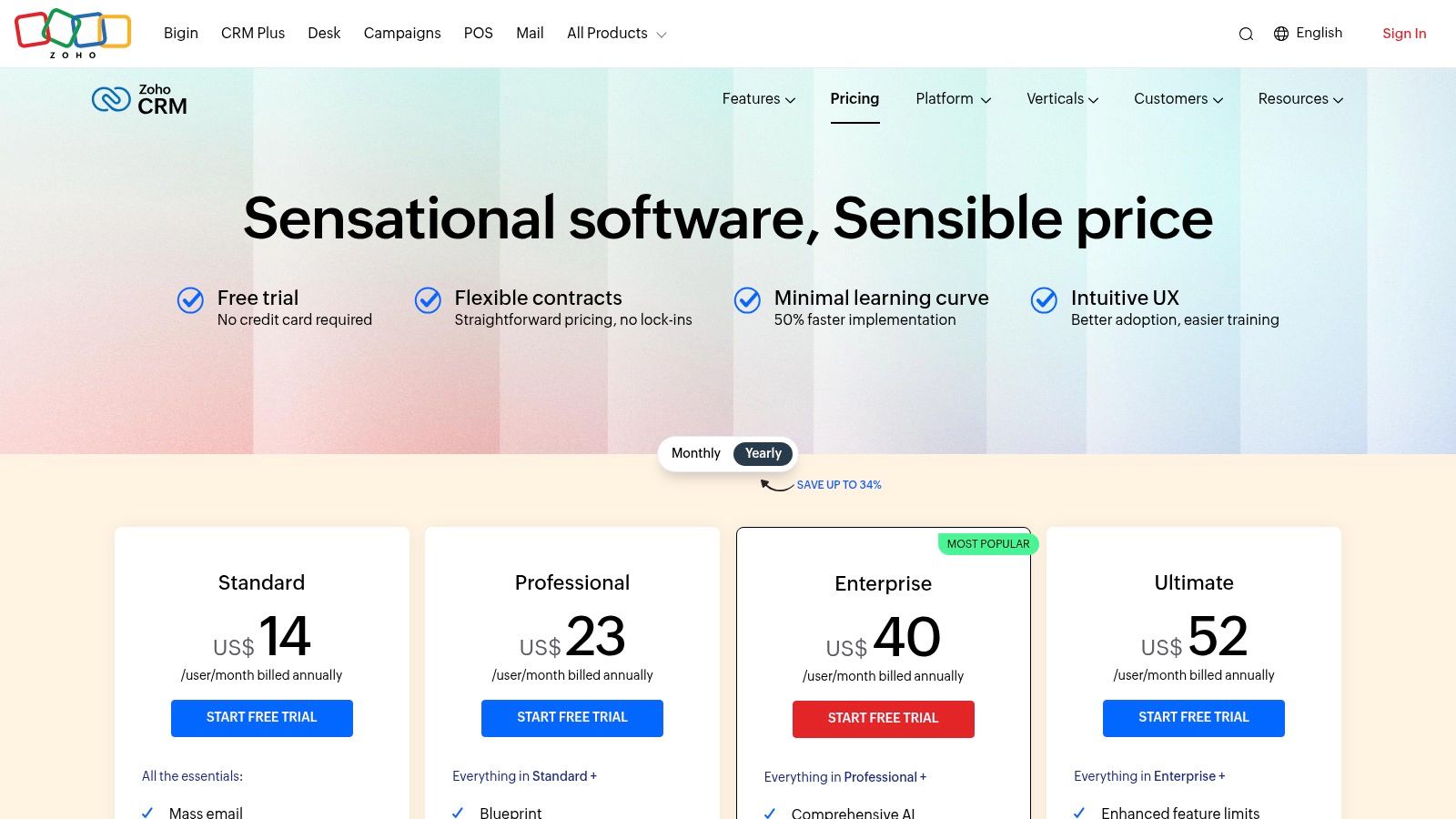
Zoho CRM is known for its competitive pricing. It offers a free edition for up to three users. Paid plans start with the Standard tier (from $14/user/month, billed annually) and go up to Ultimate ($52/user/month, billed annually). Key automation and AI features, like Zia and advanced customization, are primarily available in the Professional, Enterprise, and Ultimate editions. The initial setup can be complex due to its vast feature set, potentially requiring a dedicated administrator or implementation partner for optimal configuration.
| Pros | Cons |
|---|---|
| Aggressive Pricing: Delivers an extensive feature set at a highly competitive price point. | High Complexity: Setup and customization can be overwhelming without technical expertise. |
| Ecosystem Integration: Works seamlessly with other Zoho apps for a unified business suite. | Gated AI Features: Advanced AI and governance tools are reserved for higher-priced tiers. |
| Highly Customizable: Adapt modules, fields, and layouts to match unique sales processes. | Steep Learning Curve: The sheer number of features can be difficult for new users to master. |
Learn more at: Zoho CRM
9. Freshsales (Freshworks)
Freshsales is a sales-focused CRM from the Freshworks ecosystem, designed to provide small and mid-sized businesses (SMBs) with an integrated, multi-channel sales platform. Its core advantage is bundling phone, email, chat, and automation into a single, intuitive interface. Unlike more complex platforms, Freshsales prioritizes quick setup and ease of use, making it one of the best sales automation tools for teams that need to get running without extensive technical overhead.
This all-in-one approach allows sales teams to engage prospects across their preferred channels without switching between applications. Its AI assistant, Freddy, helps automate repetitive tasks like contact scoring and provides predictive insights into deal closures. This combination of unified communication and AI-driven intelligence helps sales reps focus their efforts on the most promising leads and opportunities.
Key Features & Use Cases
- Sales Sequences: Build and automate multi-touch outreach campaigns using a mix of emails, calls, and SMS to nurture leads systematically.
- Built-in Phone, Email, and Chat: Manage all prospect communications directly within the CRM, providing reps with complete context for every interaction.
- Freddy AI: Leverages artificial intelligence for predictive lead and deal scoring, helping teams prioritize their pipeline and forecast revenue more accurately.
- Automated Workflows: Create rules to automate routine tasks like updating fields, sending follow-up emails, or creating tasks when a deal stage changes.
Pricing and Implementation
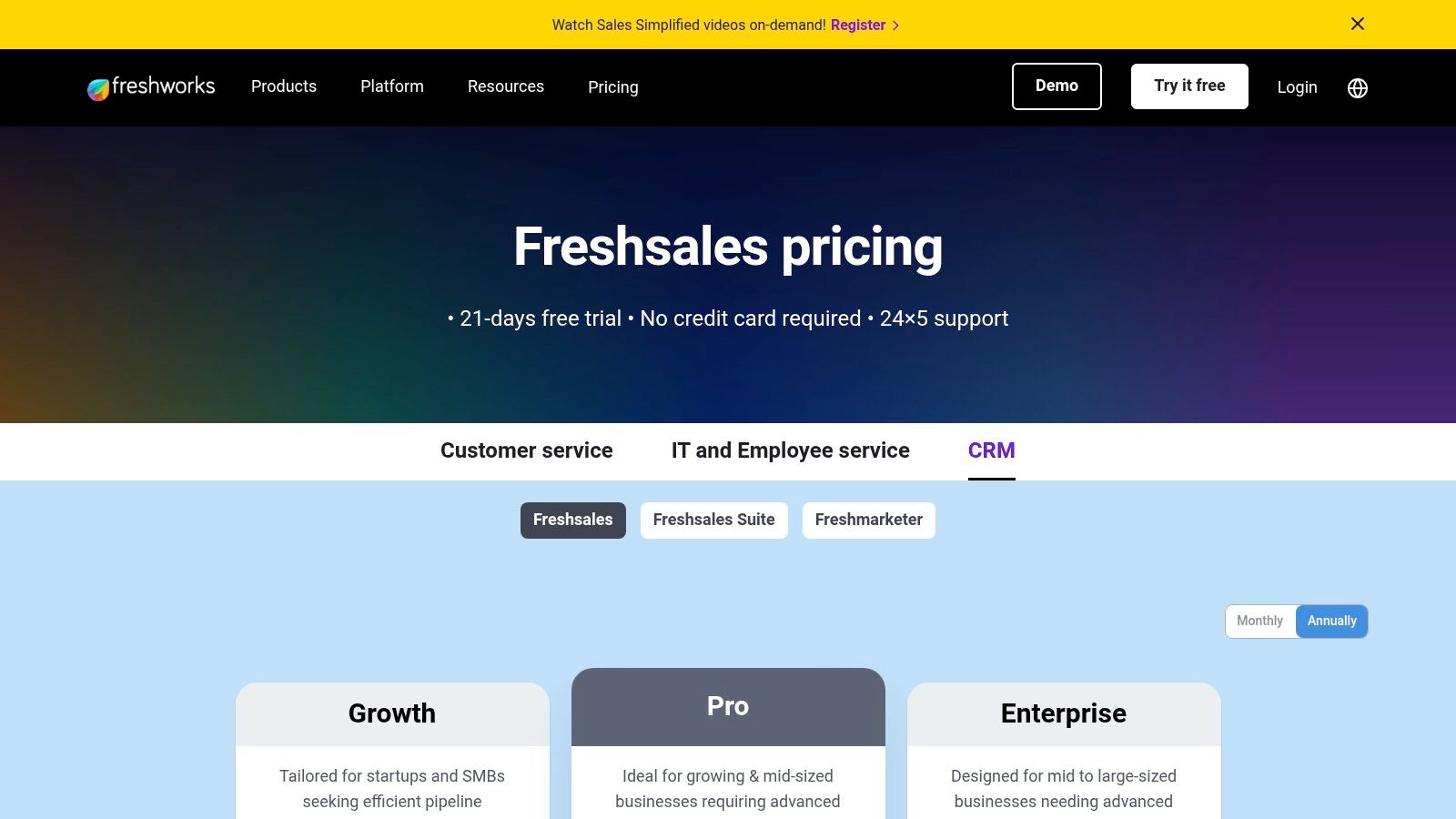
Freshsales offers a free-forever plan for very small teams, a 21-day free trial, and paid plans starting with the Growth tier (from $15/user/month). Core sales automation features like sequences are available on the Pro plan (from $39/user/month), while more advanced AI and workflow capabilities require the Enterprise tier (from $69/user/month). This pricing structure makes it an accessible entry point for growing teams.
| Pros | Cons |
|---|---|
| Affordable Entry: A free plan and competitive pricing make it ideal for SMBs. | Limited on Lower Plans: Many advanced automation features are gated to higher tiers. |
| Quick Setup: Known for its clean user interface and straightforward implementation process. | Customization Limits: Enterprise-grade customization may be less flexible than larger competitors. |
| All-in-One Communication: Built-in phone, chat, and email reduce the need for extra tools. | AI is a Premium Feature: Predictive scoring and insights are not on entry-level plans. |
Learn more at: Freshsales
10. lemlist
lemlist is a multichannel sales engagement platform built for outbound teams that prioritize personalization and deliverability. Its core strength lies in combining automated email, LinkedIn, and call sequences with powerful tools to ensure messages land in the primary inbox. Unlike generic CRMs with basic email features, lemlist focuses entirely on optimizing the top-of-funnel prospecting motion for generating replies and booking meetings.
The platform is designed around the concept of "personalization at scale," allowing users to insert custom images, videos, and dynamic landing pages into their outreach. This makes it one of the best sales automation tools for teams looking to stand out in a crowded inbox. It also includes an integrated B2B lead database and verification credits, enabling users to find and engage prospects within a single interface.
Key Features & Use Cases
- Multichannel Sequences: Automate outreach across email, LinkedIn (profile visits, connection requests, messages), and cold calls in a single, unified workflow.
- Advanced Personalization: Use AI to generate personalized icebreakers and dynamically insert custom images or videos into emails to boost engagement.
- Deliverability Toolkit: Includes built-in tools for email warm-up, DNS checks, and inbox rotation to protect sender reputation. Following a comprehensive guide to cold email warmup is crucial for maximizing these features.
- B2B Lead Database: Provides access to over 450 million verified B2B contacts, with enrichment credits included in paid plans.
Pricing and Implementation
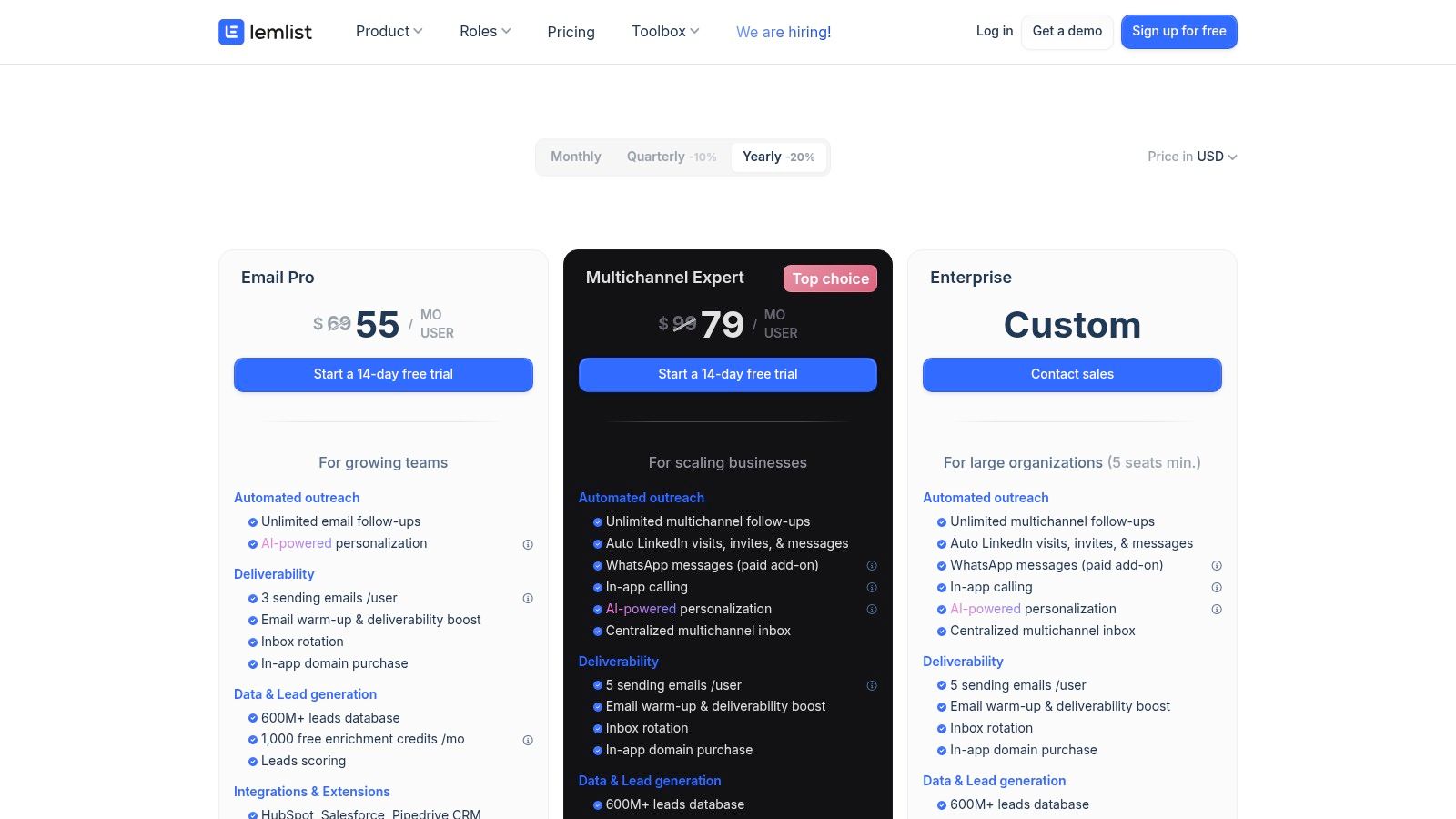
lemlist offers clear, self-serve pricing tiers. The Email Starter plan begins at $39/month for basic email outreach. The more popular Sales Engagement plan is $69/month per user, adding LinkedIn and call automation. The For Scale plan at $159/month includes advanced features and higher limits. WhatsApp automation is available as a paid add-on, and phone minutes are capped based on the selected plan.
| Pros | Cons |
|---|---|
| Excellent Deliverability Tools: Strong focus on inbox placement and sender reputation. | Add-On Costs: Key channels like WhatsApp require an additional subscription. |
| Integrated Lead Database: Find and engage prospects without leaving the platform. | Capped Phone Minutes: Calling limits are based on the plan, which may be restrictive for high-volume teams. |
| Creative Personalization: Unique features like custom image and video variables. | Learning Curve: Maximizing advanced features requires some initial setup and strategy. |
Learn more at: lemlist
11. Reply.io
Reply.io is a comprehensive sales engagement platform built to automate the entire outbound prospecting cycle across multiple channels. It stands out by combining email, LinkedIn, calls, SMS, and even WhatsApp into a single, cohesive sequence builder. This multichannel approach allows sales teams to engage prospects wherever they are most active, moving beyond simple email cadences to create more holistic and effective outreach campaigns.
The platform is particularly known for its focus on deliverability, offering tools like email warm-up and a "Deliverability Suite" to ensure messages land in the primary inbox. This makes it one of the best sales automation tools for teams who rely heavily on cold outreach and cannot afford to have their domain reputation compromised. It also offers a unique AI SDR feature that can autonomously handle parts of the prospecting and booking process.
Key Features & Use Cases
- Multichannel Sequencing: Build automated outreach flows that combine email, LinkedIn connection requests, profile views, direct messages, calls, and SMS.
- AI SDR: An autonomous agent that can find prospects, execute outreach sequences, handle initial prospect responses, and book meetings directly onto a rep’s calendar.
- Jason AI: A built-in AI assistant that helps reps write highly personalized emails, generate entire sequences from a prompt, and handle objections.
- Deliverability Suite: Includes email warm-up, validation, and reputation monitoring tools to maximize inbox placement for cold outreach campaigns.
Pricing and Implementation
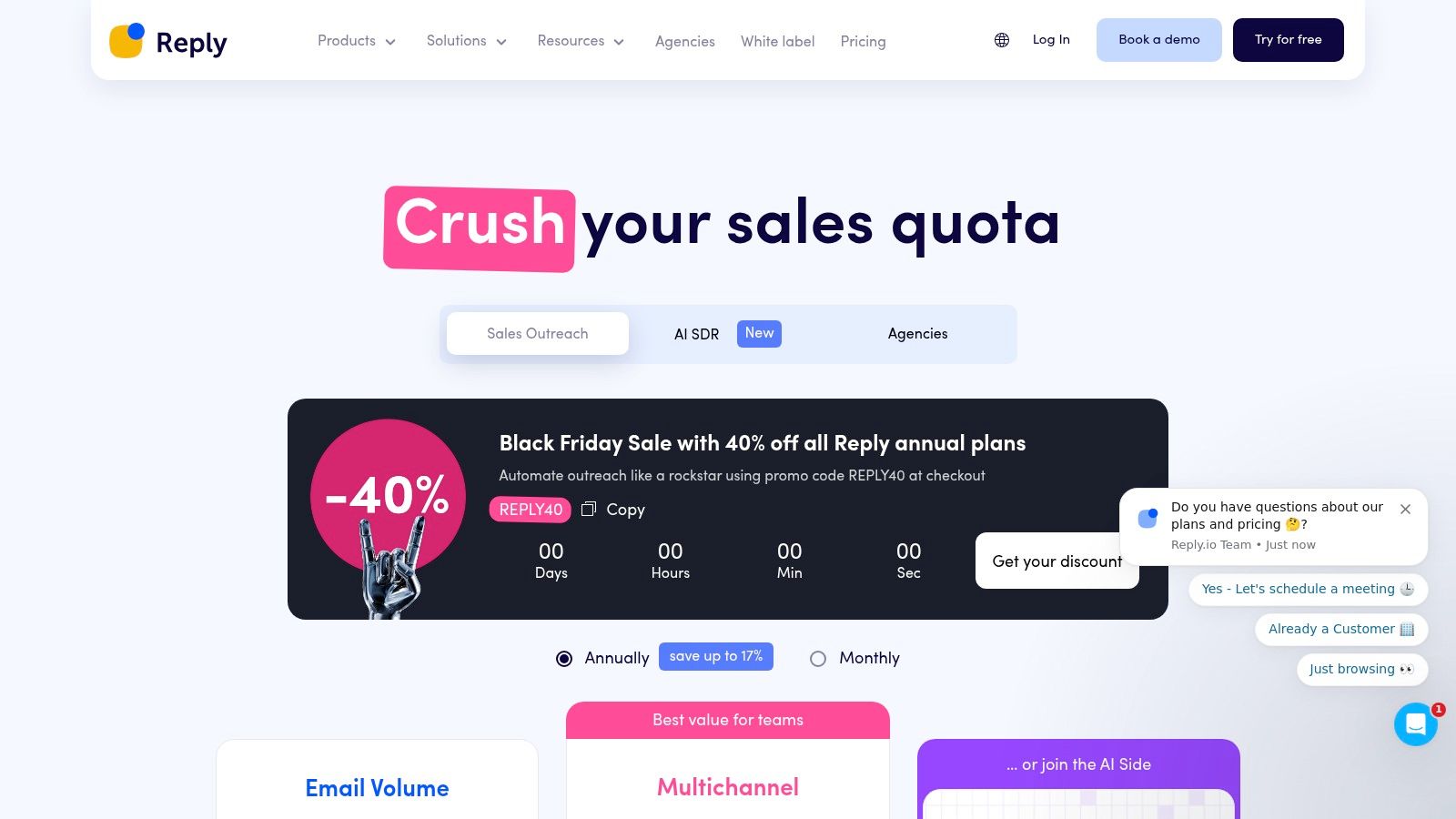
Reply.io offers flexible, modular pricing. Free plans are available for individuals getting started. Paid plans start from $60 per user/month, with different tiers for sales engagement, data, and their AI SDR. This structure allows businesses to pay only for what they need, but costs can add up as you include more features like the dialer or advanced data enrichment.
| Pros | Cons |
|---|---|
| Strong Multichannel Automation: Seamlessly combines email, LinkedIn, calls, and SMS. | Add-ons Increase Costs: Key features like the dialer or LinkedIn automation are often add-ons. |
| Excellent Deliverability Tools: Built-in warm-up and health checks are ideal for cold outreach. | AI SDR is Higher-Priced: The fully autonomous SDR capability is a significant investment. |
| Flexible Pricing: Modular plans are suitable for solo reps, SMBs, and agencies. | Can Get Complex: Managing numerous channels and AI settings requires a learning curve. |
Learn more at: https://reply.io/pricing/
12. Mailshake
Mailshake is a lightweight sales engagement platform designed for teams that prioritize email-first outreach. It stands out for its simplicity and focus on core prospecting activities, making it an excellent choice for lean sales teams, startups, and agencies that need to launch outbound campaigns quickly without the complexity of an all-in-one CRM. Unlike heavier platforms, Mailshake emphasizes a streamlined workflow for creating, sending, and tracking cold email sequences.
This focus allows for powerful yet easy-to-manage automation. Users can build multi-step email campaigns with automated follow-ups, A/B test subject lines and body copy to optimize response rates, and leverage personalization at scale using mail merge fields. The platform is built around deliverability, with tools like an email warm-up service and list-cleaning integrations to ensure messages land in the primary inbox, a critical factor for any cold outreach strategy.
Key Features & Use Cases
- Automated Email Sequences: Build and schedule personalized, multi-touch email campaigns with automated follow-ups. Perfect for SDRs and founders running their own outbound prospecting.
- A/B Testing: Easily test different email variations to identify which subject lines, calls-to-action, or copy generate the most engagement from prospects.
- Multichannel Outreach: The Sales Engagement plan adds a phone dialer and LinkedIn automation to connect with prospects on their preferred channels, all from one platform.
- Unified Lead Management: A central inbox aggregates all replies from active campaigns, helping reps manage conversations efficiently without leaving the tool.
Pricing and Implementation
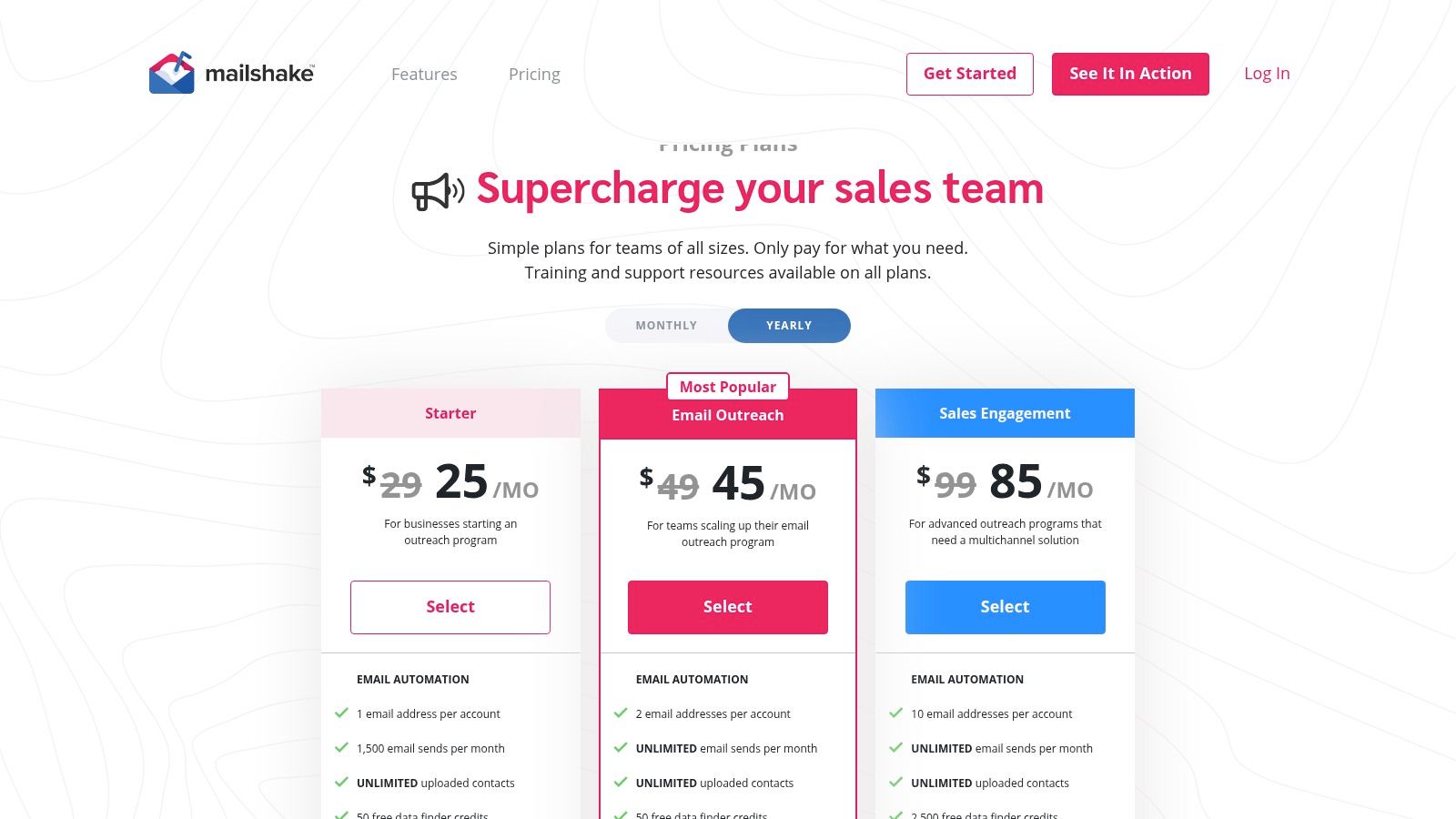
Mailshake offers straightforward pricing. The Email Outreach plan starts at $58 per user/month (billed annually) and is ideal for basic cold email campaigns. To unlock multichannel features like the phone dialer and LinkedIn automation, you need the Sales Engagement plan at $83 per user/month (billed annually). Unlike many competitors, Mailshake does not have complex tiers or hidden fees, making it predictable for budget planning.
| Pros | Cons |
|---|---|
| Simple pricing and fast setup: Get campaigns running in minutes with an intuitive interface. | Less native CRM depth: Lacks the advanced deal management of a full CRM. |
| Strong deliverability features: Tools focused on ensuring high email inbox placement. | Multichannel requires top plan: Phone and LinkedIn automation are not in the base plan. |
| Great for email-first teams: Uncluttered workflow for high-volume cold outreach. | Limited workflow automation: Not as customizable as platforms like HubSpot or Outreach. |
Learn more at: Mailshake
Top 12 Sales Automation Tools — Feature Comparison
| Product | Core features ✨ | Quality ★ | Price / Value 💰 | Audience 👥 | Key USP ✨ |
|---|---|---|---|---|---|
| Roger 🏆 | Auto lead discovery, email verification, AI tone-mirroring, multichannel sequences | ★★★★★ | 💰 $800+/mo (Basic → Enterprise, scalable) | 👥 Startups, SMBs, agencies, enterprise sales teams | ✨ Per-lead research + tone-mirroring at scale — Recommended 🏆 |
| HubSpot Sales Hub | CRM, sequences, workflows, forecasting, convo intelligence | ★★★★☆ | 💰 Tiered (Free → Enterprise); higher onboarding on top tiers | 👥 SMB → Enterprise; marketing-aligned teams | ✨ All‑in‑one CRM + extensive native ecosystem & Academy |
| Salesforce Sales Cloud + Engagement | CRM + configurable cadences, AI forecasting, AppExchange | ★★★★☆ | 💰 Quote-based; typically higher TCO | 👥 Large enterprises, regulated orgs | ✨ Deep configurability, enterprise governance & integrations |
| Outreach | Multichannel cadences, triggers, Kaia AI insights | ★★★★☆ | 💰 Custom/quote (enterprise focus) | 👥 Enterprise SDR/AE orgs | ✨ Governance, coaching & analytics at scale |
| Salesloft | Cadences, dialer, conversation intelligence, coaching | ★★★★☆ | 💰 Quote-based; add-ons increase cost | 👥 SDRs, sales managers, mid→large teams | ✨ Intuitive UX + strong coaching and reporting |
| Apollo.io | B2B contact database, enrichment, sequences, dialer | ★★★☆☆ | 💰 Competitive entry; credit model for heavy use | 👥 Growth teams, SMBs, agencies needing data + outreach | ✨ Integrated prospecting database + automation |
| Pipedrive | Visual pipelines, automation, email sync, meeting scheduler | ★★★★☆ | 💰 Clear, affordable tiers; 14‑day trial | 👥 SMB sales teams seeking quick time‑to‑value | ✨ User‑friendly pipelines and fast deployment |
| Zoho CRM | Workflow automation, custom modules, Zia AI | ★★★☆☆ | 💰 Aggressive pricing across tiers | 👥 SMBs and organizations using Zoho suite | ✨ Extensive feature set for price; deep integrations |
| Freshsales (Freshworks) | Built‑in telephony, chat, sequences, Freddy AI | ★★★★☆ | 💰 Affordable entry; free/21‑day trial | 👥 US SMBs, small sales teams | ✨ Multi‑channel + quick setup with clean UI |
| lemlist | Email + LinkedIn + WhatsApp steps, deliverability tools | ★★★★☆ | 💰 Self‑serve pricing; credits included | 👥 Teams focused on personalization & deliverability | ✨ Strong deliverability tooling & AI personalization |
| Reply.io | Email/LinkedIn/dialer/SMS, deliverability suite, reporting | ★★★☆☆ | 💰 Modular plans; add‑ons can raise cost | 👥 Solo reps → agencies needing multichannel | ✨ Modular multichannel automation & warm‑up tools |
| Mailshake | Email-first sequences, A/B testing, LinkedIn & dialer add-ons | ★★★☆☆ | 💰 Simple, lower-cost plans | 👥 Lean outbound teams and agencies | ✨ Fast setup, email deliverability focus and integrations |
How to Choose the Right Sales Automation Tool for Your Team
Navigating the crowded market of sales automation platforms can feel overwhelming, but the right choice boils down to a clear understanding of your team's unique needs, processes, and growth stage. We've explored a wide spectrum of the best sales automation tools, from all-in-one prospecting powerhouses like Roger and Apollo.io to comprehensive CRM-centric solutions like HubSpot Sales Hub and Salesforce Sales Cloud. Each platform offers a distinct value proposition tailored to a specific type of sales organization.
The key takeaway is that there is no single "best" tool for everyone. An early-stage startup trying to build an outbound pipeline from scratch has vastly different requirements than an enterprise team needing robust analytics, security compliance, and deep integration with an existing tech stack. Your selection process must begin internally, not with a features list.
A Practical Framework for Your Decision
Before you sign any contracts, follow a structured evaluation process. This ensures the tool you choose solves actual problems instead of creating new ones. A thoughtful approach will save you significant time, budget, and implementation headaches down the road.
1. Audit Your Current Sales Process:
- Identify Bottlenecks: Where do your reps spend the most non-selling time? Is it manual data entry, lead research, crafting follow-up emails, or logging calls? Pinpoint the 3-5 biggest time sinks.
- Map Your Tech Stack: List every tool your sales team currently uses, from your CRM and email client to your calendar and data enrichment services. This map is critical for evaluating integration capabilities.
- Define Your Goals: What is the primary objective? Is it to increase meeting bookings, improve lead conversion rates, shorten the sales cycle, or enhance team productivity? Quantify these goals where possible.
2. Align Tools to Your Team's Profile:
- For Startups and SMBs: If you lack a dedicated SDR team, platforms like Roger offer a managed, AI-driven approach to outbound prospecting, effectively becoming your automated sales development engine. Similarly, tools like Apollo.io provide an excellent all-in-one database and engagement solution.
- For Mid-Market Growth: Companies already invested in a CRM ecosystem should look at native solutions. HubSpot Sales Hub and Pipedrive offer powerful automation that works seamlessly within their existing platforms. For a head-to-head comparison between two leading platforms, explore this detailed Zoho vs. HubSpot comparison.
- For Enterprise Needs: Large organizations with complex sales motions and strict governance requirements will gravitate towards robust platforms like Outreach, Salesloft, or Salesforce Sales Engagement. These tools provide the deep analytics, advanced permissions, and security features necessary for scaling operations effectively.
3. Test and Validate Before Committing:
- Leverage Free Trials and Demos: Never purchase a tool based on its marketing website alone. A live demo allows you to ask specific questions about your use cases. A free trial lets your team experience the user interface and workflow firsthand.
- Check for Critical Integrations: Does the tool have a native, two-way sync with your CRM? How does it connect with your email provider and calendar? Broken or clunky integrations can completely derail the value of an automation tool.
- Evaluate User Experience (UX): A powerful tool is useless if your team finds it too complicated to adopt. The platform should be intuitive and make a sales rep's daily life easier, not harder.
Ultimately, choosing the best sales automation tool is a strategic decision that directly impacts your revenue engine's efficiency and scalability. By starting with a deep understanding of your own processes and pain points, you can confidently select a platform that empowers your team to close more deals and focus on what they do best: building relationships and selling.
Ready to build your outbound pipeline without the manual grind? Roger acts as your AI-powered SDR team, handling everything from lead research and personalization to multi-channel outreach, so your sales reps can focus exclusively on qualified meetings. See how Roger can transform your prospecting and book you more demos, automatically.